
AI Construction Document Control: Preventing Drawing Version Conflicts and Coordination Errors

Summarize this post:
Instantly extract the key takeaways from this article using AI.
Construction teams chase drawings all day. One file changes. Another trade misses it. Then the field crew installs the wrong detail. That small miss spreads fast. Time slips. Costs rise. Tempers flare a bit, too.
Most jobs already deal with packed schedules. Nobody wants to sort old PDFs at midnight. Yet teams still lose hours checking emails, meeting notes, RFIs, and revised sheets.
That is where AI starts helping.
Not with magic. Not with hype. Just with faster checks, cleaner reviews, and smarter tracking across teams.
A growing number of teams now review drawings, scan emails, flag risks, and connect to project records before crews hit the field. iFieldSmart AI is designed to bring construction drawings, meetings, RFIs, specifications, and coordination workflows into one connected AI-assisted review environment.
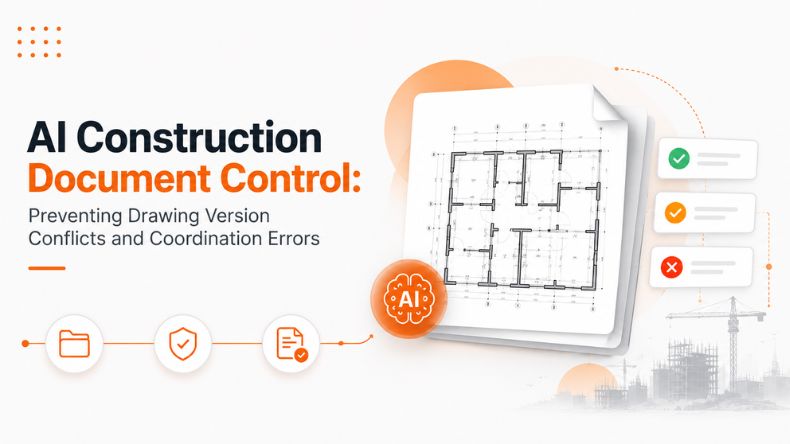
AI construction document control helps teams track the latest files faster.
That sounds simple. Still, drawing confusion can cause major job-site stress.
A trade may use Revision 3. Others may still be holding Revision 1. Someone prints an older sheet from an email. Then the coordination breaks apart quietly.
AI systems now scan incoming files automatically. They compare versions. They flag changes between sheets. They connect updates to meetings, RFIs, and specs.
Instead of digging through folders, teams get faster answers.
According to the Autodesk Construction Blog, rework can consume close to 9% of total project costs. Mostly these issues are linked to poor coordination, miscommunication, and outdated or inaccurate project information.
That number sticks in your head a little.
Because most field teams already feel stretched thin.
AI-driven reviews also help teams catch:
The review starts before fieldwork begins. Timing matters more than people think.
Construction drawing management often moves slowly than the job itself.
Teams receive hundreds of sheets weekly. Mechanical changes affect electrical layouts. Structural updates shift ceiling space. Plumbing reroutes equipment rooms.
Manual reviews struggle under that load.
Based on the AI Constructability Review, AI-assisted workflows are being developed to help teams scan contract drawings against structured review lists. The system highlights clearance risks, missing installation details, coordination gaps, and likely RFIs before installation starts.
That early view changed conversations.
Instead of reacting later, teams review issues earlier while options still exist.
A field coordinator may notice:
These issues normally surface during installation. By then, crews already stand onsite waiting.
Nobody likes that call.
A hospital project receives revised HVAC drawings on Friday evening.
The plumbing team missed the update.
Monday morning starts rough.
The old routing clashes with ceiling framing. Work pauses. RFIs start flying across email chains.
With AI assisted document checks, the system compares revisions automatically. It flags changed ceiling zones and alerts affected trades before field installation begins.
That one alert may save several days.
Drawing version control sounds boring until mistakes hit concrete.
Version confusion causes real damage.
One outdated detail can affect procurement, layout, fabrication, and inspections all at once.
AI-supported systems now compare sheets line by line. They highlight the revised areas visually. Teams no longer search manually across dozens of pages.
That cuts review time sharply.
According to an FMI Corporation report, poor project data and miscommunication cost the construction industry billions of dollars each year through avoidable rework and inefficiencies.
The scary part?
Most of these issues begin with small coordination misses.
AI-driven version reviews may track:
Some systems also connect meeting records and email discussions directly to drawing updates.
That link matters.
The superintendent may ask about a revised stair detail during coordination meetings. AI meeting summaries can connect that discussion back to the updated sheets automatically.
The chain stays visible.
AI drawing intelligence helps teams notice patterns humans often miss.
Not because people lack skill.
Construction drawings simply contain huge amounts of data.
A single project may include:
That stack grows fast.
AI-based constructability reviews can now scan drawings against known coordination risks. Based on workflows shared through Construction Drawings and Specs QA Workflows, teams can ask direct questions about the drawing sets and specifications during reviews.
That saves serious time.
Instead of searching manually, coordinators may ask:
The answers return faster.
Sometimes teams just need clarity quickly. Especially during busy coordination calls where everyone talks at once, and somebody always asks for the latest sheet.
AI also helps connect:
This shared view cuts confusion between office and field teams.
Construction coordination workflows break down when information scatters everywhere.
One answer sits in an email.
Another hides inside meeting notes.
A third appears during field walks.
Then someone forgets which version became final.
AI-assisted systems can now help organize those moving parts together.
Within preconstruction coordination workflows, systems like iFieldSmart AI Constructability Review Skill and Construction Email AI Skill are being designed to help project teams review email threads, connect related RFIs, surface linked drawing revisions, and draft contextual responses faster during coordination reviews.
That reduces the back and forth.
A project engineer may receive:
Instead of opening ten folders manually, the system surfaces related files automatically.
It feels small at first.
Then, teams notice hours disappearing from admin work.
A school project faces repeated slab coordination problems.
Electrical conduits conflict with plumbing sleeves. Meeting notes mention the issue twice. Nobody links the comments back to the updated sheets.
Weeks pass.
Then, field crews reopen concrete sections.
AI-assisted coordination workflows connect revised drawings and meeting summaries into one searchable thread. Teams will review open risks before installation resumes.
Less confusion follows.
Maybe less yelling, too.
Meetings shape construction decisions.
Still, teams often lose track of action items afterward.
Somebody writes rough notes. Another person forgets follow-ups. A trade partner misses one key detail during calls.
That gap causes downstream confusion.
Based on workflows from iFieldSmart Meeting AI and related meeting management systems, AI tools can summarize discussions, track action items, and connect decisions back to project records.
This helps teams remember:
Construction meetings move fast sometimes. Half the room multitasks quietly.
Clear records matter more than people admit.
Change management hits every project eventually.
Owners revise layouts.
Specs shift.
Schedules tighten.
Trades adjust sequencing.
The problem is not the change itself.
The problem comes when teams fail to track it clearly.
Based on workflows from iFieldSmart Change Management AI, AI-assisted systems help review changes against drawings, RFIs, and coordination records before issues spread downstream.
That visibility helps teams review downstream impacts before installation begins.
That breathing room matters on active job sites.
Many construction teams still test AI cautiously.
That makes sense, honestly.
Projects carry too much risk for rushed software rollouts.
Right now, several AI construction workflows remain in early access programs, pilot stages, or waitlist-based testing. Teams explore them gradually while reviewing internal processes first.
That slower adoption may help.
Construction teams need trust before changing their core workflows.
Still, interest keeps growing because document overload keeps growing too.
And nobody wants another coordination fire drill Friday afternoon.
Construction teams already manage enough pressure daily.
Nobody needs extra confusion from outdated drawings and scattered records.
AI-assisted document workflows help teams spot problems earlier. They connect drawings, meetings, specs, RFIs, and emails into clearer coordination paths.
That does not remove every issue.
Still, faster reviews and cleaner tracking help projects move with less friction.
And honestly, even one avoided coordination mistake can save weeks later.
That alone gets attention.
Explore more insights on similar topics
 CONSTRUCTION DOCUMENT MANAGEMENT
Constructing a building is complicated. Many factors can affect a project’s budget and schedule, and...
 CONSTRUCTION DOCUMENT MANAGEMENT
Managing complex commercial building projects requires meticulous attention to countless technical details and continuous operational...
 CONSTRUCTION DOCUMENT MANAGEMENT
An average construction project produces tens of thousands of documents before the first punch list...