
Construction Document Management: How to Find Answers Faster Across Drawings, Specifications, RFIs, and Project Communications

Summarize this post:
Instantly extract the key takeaways from this article using AI.
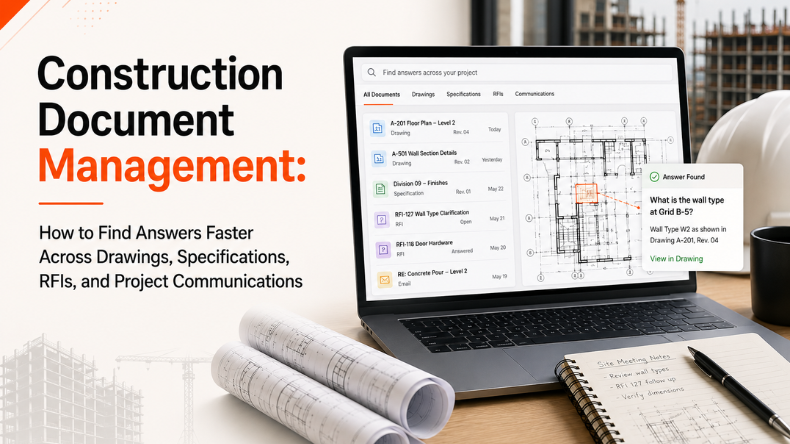
An average construction project produces tens of thousands of documents before the first punch list is even opened — drawings, specifications, RFIs, submittals, change orders, emails, and meeting notes, multiplying week after week. That volume isn’t the problem. The problem shows up the moment someone needs one specific answer, right now, and has to go looking for it.
Ask a superintendent preparing for a wall rough-in whether they’re looking at the current approved drawing, and watch what happens next: a pause, a scroll through email, a check of a shared drive, maybe a phone call just to be sure. That pause is construction document management failing in real time, and it happens on nearly every project, almost every day.
Here’s the insight most teams miss: this isn’t a storage problem. Nearly every project has somewhere to put its files. It’s a retrieval problem. And closing that gap is what separates teams that hit their schedule from teams fighting delays they never saw coming.
This guide breaks down what construction document management really means, why finding project information is harder than it should be, and what teams from general contractors to architects to owners can do to close that gap for good.
Construction management refers to a series of activities, including organizing project documentation, the storage of documents, the control of documents, and the retrieval of information throughout the life of a construction project. It entails giving construction professionals easy access to all the essential project documents, right from blueprints to RFIs and change orders.
You need both. Document control keeps the paper trail accurate. Document management makes that paper trail usable in the middle of a fast-moving project, when a foreman needs an answer in five minutes, not five phone calls.
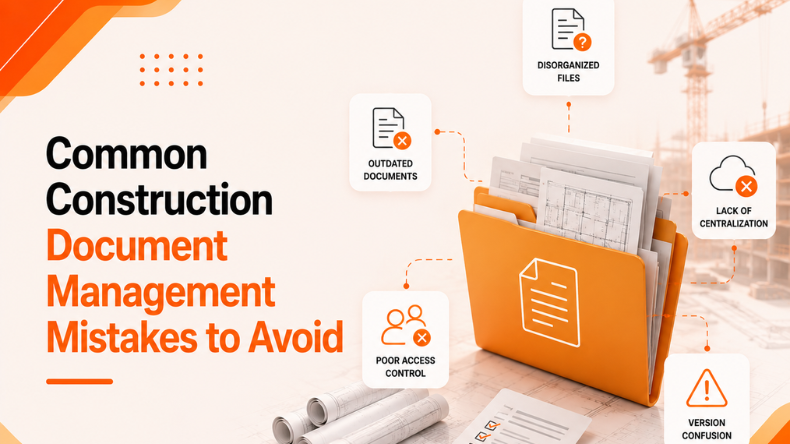
Most construction teams don’t struggle to store documents — they struggle to retrieve the right one quickly. A few patterns show up on nearly every project:
None of these problems comes from a lack of documentation. They come from documentation that isn’t organized or searchable in a way that matches how fast decisions actually need to get made on a job site.
When information is hard to find, show up in approximations that are underestimates until you add them up on an order.
None of this requires a catastrophic failure. It’s usually death by a thousand small delays — a missed revision here, a buried RFI answer there — that quietly erode schedule and budget over the life of a project.
Understanding construction document management starts with recognizing the different types of information a project actually produces:
Each of these sources matters on its own. The real challenge and the real opportunity are connecting to a team that can search across all at once instead of hunting through each system separately.
Teams that manage information well tend to follow a consistent set of practices, regardless of project size or delivery method.
Even with strong document control practices in place, construction information is still spread across many formats and systems. This is where AI is starting to change how teams work, not by replacing document management fundamentals, but by making the vast amount of existing project information genuinely searchable and usable.
Instead of manually flipping through sheets or scrolling through a spec book, teams can ask a direct question — like a required clearance dimension or a finish requirement and get pointed to the exact answer within drawings and specifications. Tools like Construction Drawings & Specifications Q&A AI are built around this exact use case: helping teams quickly find answers hidden inside dense technical documents.
A huge amount of project-critical information lives in email threads that never get formally logged. AI applied to project email, such as Construction Email AI, can help identify the decisions and commitments buried in those threads so they aren’t lost when the conversation moves on.
Coordination meetings and OAC meetings generate discussion that’s hard to capture completely in handwritten or typed minutes. Tools such as the Meeting AI skill helps to capture what was discussed, what was decided, and what actions were assigned — turning a meeting into a searchable record instead of a fading memory.
Change orders rarely exist in isolation — they ripple into schedule, cost, and coordination. Change Management AI can help teams understand how a single change connects to other parts of the project, reducing the chance that a downstream impact gets missed.
Reviewing drawings and specifications for conflicts or issues before construction begins is time-consuming work. iFieldSmart’s Constructability Review tool can help teams flag potential issues earlier, when they’re far cheaper to resolve.
Every construction organization has its own workflows, terminology, and priorities. iFieldSmart’s Custom AI Workflow capability allows teams to shape these tools around their specific processes rather than forcing a generic tool onto a unique project environment.
The common thread across all of these applications is the same: AI doesn’t replace good document management practices — it makes the information teams already have easier to search, connect, and act on quickly.
As construction projects are becoming more complex, managing information has become as important as managing schedules and budgets. The industry needs more connected project information that supports faster and more informed decision-making.
The projects that adapt fastest to this shift won’t necessarily be the ones with the most documentation. They’ll be the ones whose teams can find the right answer the moment they need it — which is, at its core, what construction document management has always been about.
Construction document management is the process of organizing, storing, controlling, and retrieving project documentation — including drawings, specifications, RFIs, submittals, and communications — throughout a construction project’s lifecycle.
AI can help teams search drawings and specifications for direct answers, surface decisions buried in email, summarize meetings, track changes and their impact, and support constructability reviews — making existing project information faster to find and use.
Teams find information faster by centralizing project documentation, maintaining strict revision control, standardizing workflows, and using search tools — including AI-powered search — that work across drawings, specs, RFIs, and communications at once.
Explore more insights on similar topics
 CONSTRUCTION DOCUMENT MANAGEMENT
Constructing a building is complicated. Many factors can affect a project’s budget and schedule, and...
 CONSTRUCTION DOCUMENT MANAGEMENT
Managing complex commercial building projects requires meticulous attention to countless technical details and continuous operational...
 CONSTRUCTION DOCUMENT MANAGEMENT
Construction teams chase drawings all day. One file changes. Another trade misses it. Then the...